Gifts that add themselves. Discounts Shopify applies.
Buy X pay Y, free gifts, cart-value thresholds, tiered gifts with a progress bar and volume discounts. Every campaign runs inside one discount function, so it works on Basic and Grow plans too.
Live on the Shopify App Store. Free plan included, no scripts in your theme.
Two minutes, one take: an empty panel, a campaign, and the gift sitting in the cart at zero. The video is hosted on YouTube and loads only when you press play.
AutoGift & BOGO in 30 seconds.
The facts a merchant asks first, in one place.
- Platform
- Shopify, all plans (Basic, Grow, Advanced, Plus); Theme App Extension + Shopify Function, no theme code edits
- App type
- Gift and BOGO campaign app: buy X pay Y, free gift, cart threshold, product/collection trigger, tiered gifts, volume discount, buy X get Y + extra gift
- How the gift arrives
- A gift picker opens the moment the cart earns it; the gift sits in the cart at zero and a guard removes it if the cart drops below the threshold
- Discount engine
- One automatic discount (Shopify Function); cart and checkout show the same number, nothing injected into the theme
- Pricing
- Free plan: 1 campaign live at a time; Pro $24.90 per month or $299 per year: up to 5 campaigns live at the same time
- Languages
- Admin and storefront in English and Turkish
- Developer
- Joykek, İstanbul, Türkiye (joykek.com)
- Install
- Shopify App Store listing
What your customer sees.
Every screen below is a real screenshot of the storefront kit running in a browser - not a drawing.
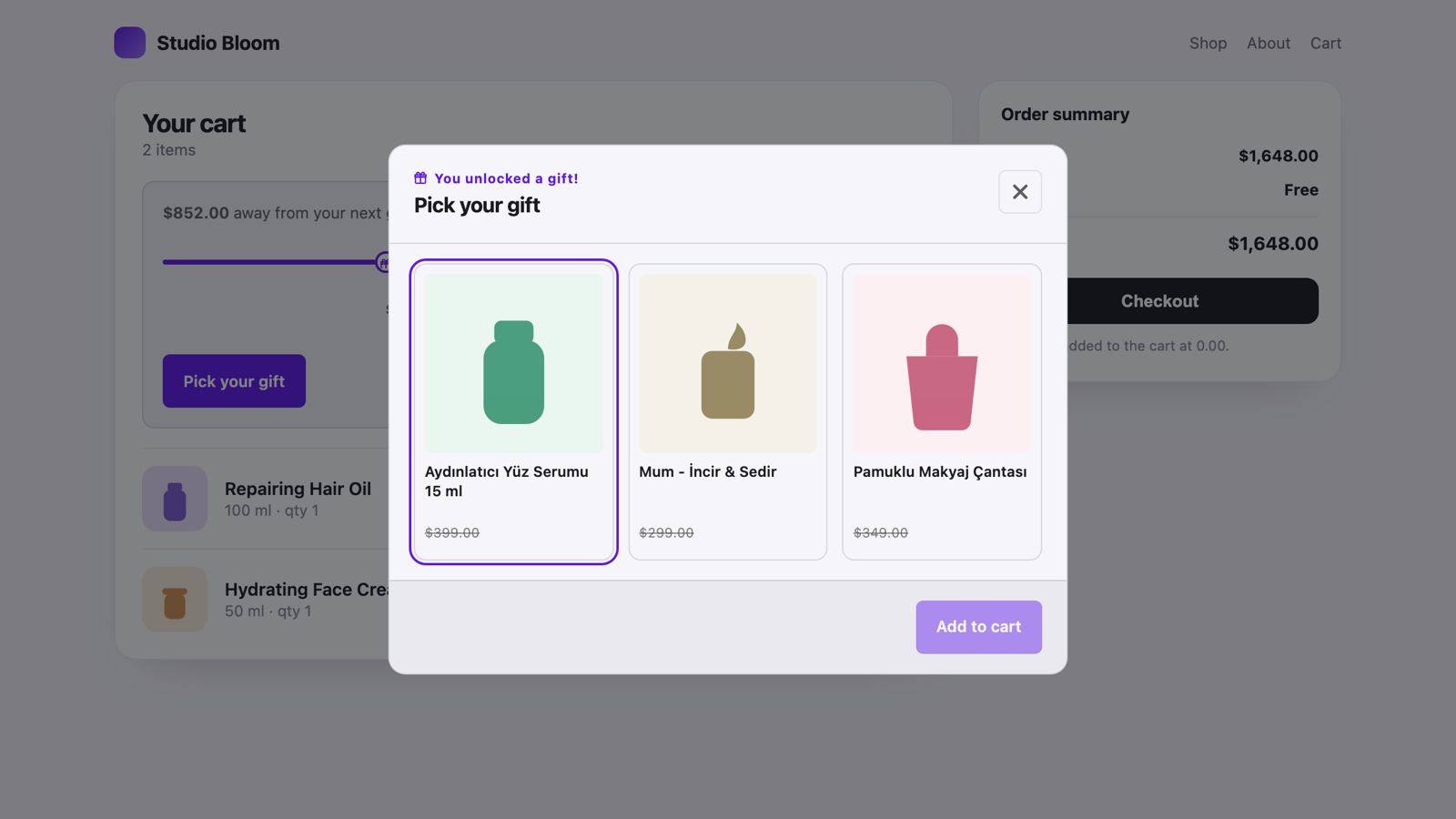
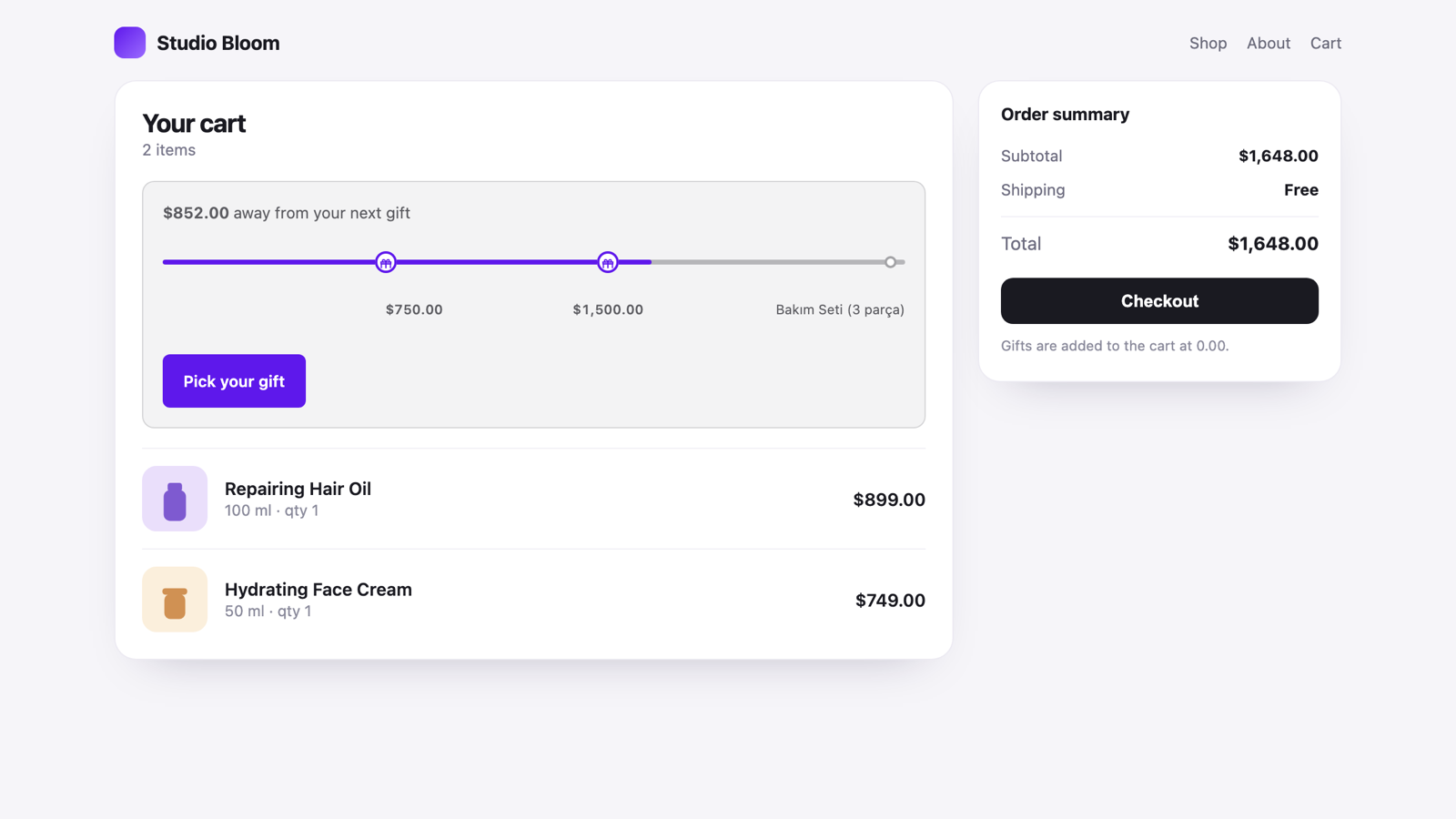
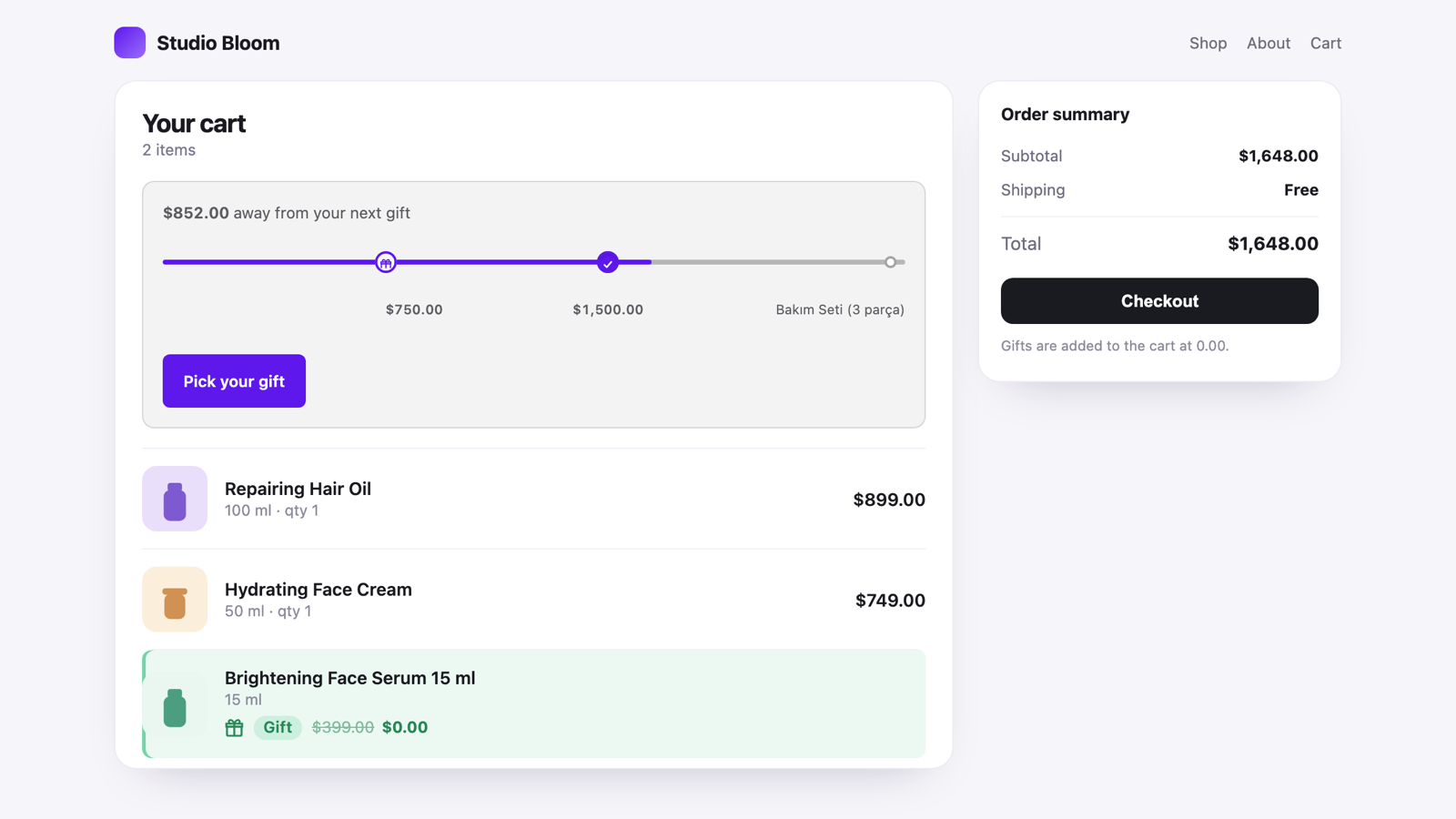
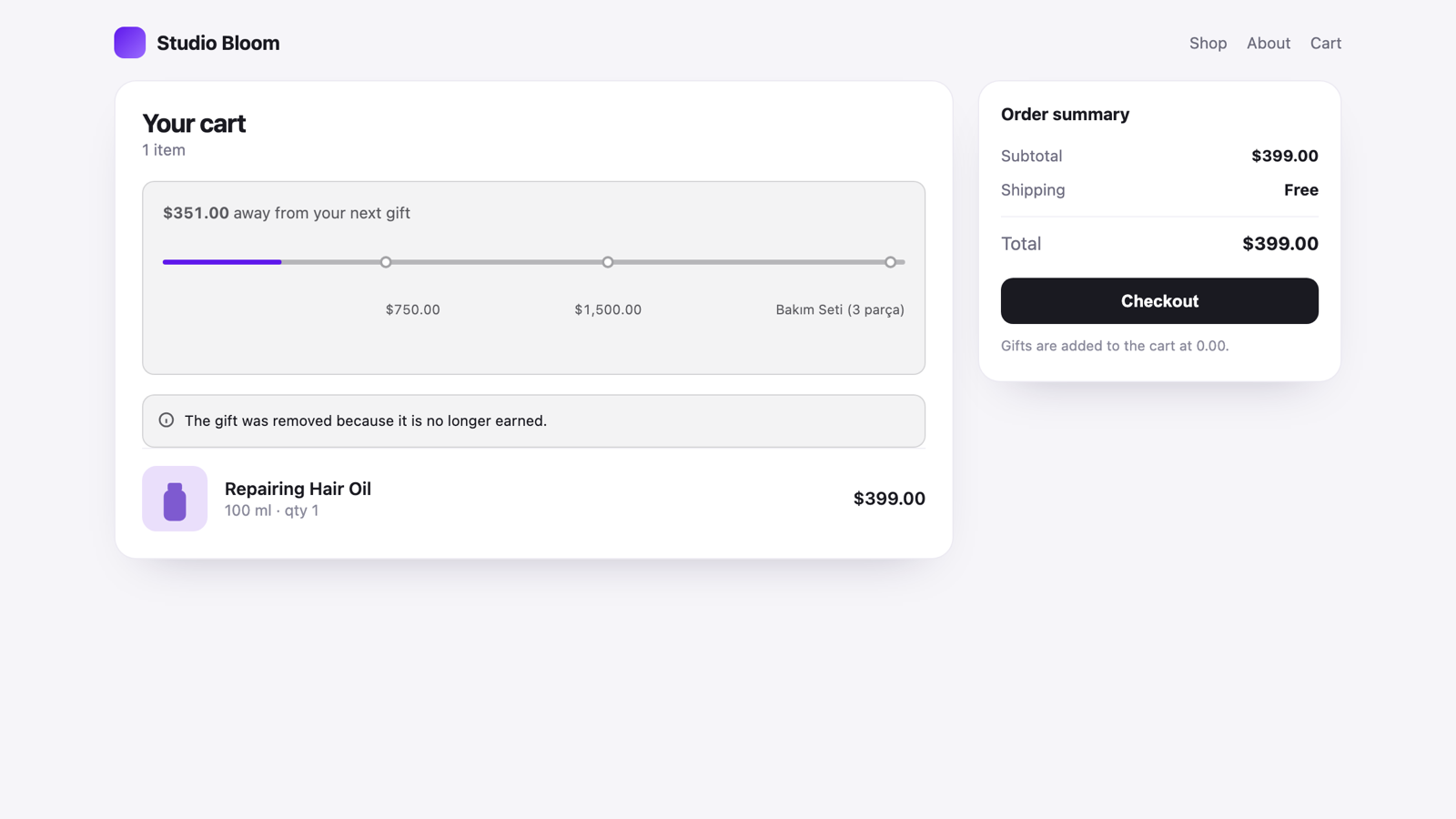
Three steps from install to first gift.
No code, no theme editing, no third-party scripts on your storefront.
Install and pick a plan
Install from the Shopify App Store. The free plan lets you run one campaign right away.
Create the campaign
Pick the type, the scope (all products, a collection, specific products) and the reward. The panel shows what your plan allows while you type.
Turn on the storefront kit
Enable the app embed in the theme editor. The gift window, the progress bar and the cart badge take their colours from your theme.
Seven campaign types, one engine.
Every type is configured from the same wizard and runs through the same discount object.
Buy X pay Y
The cheapest items in the group become free, and it repeats: a customer who buys 4 gets 2 free.
Buy X Get Y + Extra Gift
The Buy X Get Y discount runs, and the moment it does the shopper also picks an extra gift.
Gift with every order
Every order that contains at least one paid item unlocks a gift.
Cart value threshold
Spend this much, get that gift. The progress bar does the persuading.
Product or collection trigger
The gift appears only when a specific product or collection is in the cart.
Tiered gifts
Different gifts at different thresholds, with a progress bar that shows the next stop.
Volume discount
Buy more, pay less per unit. Set the quantity breaks yourself.
Built for the store, not for the demo.
The decisions below were made because of how Shopify actually behaves outside Plus.
One discount object, every campaign
On Basic and Grow, two product discounts do not stack on the same line, and a store can hold 25 automatic discounts at most. AutoGift uses exactly one - your other discounts keep their room.
The gift guard
If the cart drops below the threshold, the gift is removed in the storefront, and a second check at checkout stops an unearned gift from being charged.
Takes its colours from your theme
The kit measures your theme's surface, corners and contrast at runtime. Prefer your own accent colour? Set it in the theme editor.
Shopify's own discount engine
Prices are calculated by a Shopify Function - no scripts injected into your theme, no checkout extensions, no race with the cart.
Turkish and English admin
The panel follows your Shopify admin language, and you can pin it to one language.
No customer data stored
AutoGift keeps campaign settings only. Customer names, addresses and payment data never touch our database.
Start free. Move up when a campaign pays for it.
Both plans include every campaign type and the full storefront kit. The difference is how many campaigns run at the same time.
Free
To see it working in your own store
- One campaign live at a time
- All seven campaign types
- Full storefront kit: gift window, progress bar, gift guard
- No order limit
Pro - monthly
For running several campaigns side by side
- Up to five campaigns live at the same time
- Everything in Free
- Priority support
Pro - yearly
One payment, one price for the year
- Everything in Pro
- Billed once a year, not every month
- Your price stays fixed for the year
Prices are billed by Shopify and appear on your Shopify invoice. Campaign counts are the number of campaigns in effect at the same time - you can store as many drafts and past campaigns as you like.
Questions merchants ask first.
Something missing? Write to info@joykek.com.